Connect an assistant to your VoiceCheap account to inspect projects and usage, generate media, and run the actions you authorize. The remote server uses Streamable HTTP and exposes tools from the REST action catalog.
You need a VoiceCheap Starter plan or higher and a client that supports remote MCP. Client availability and workspace permissions depend on your assistant. API and MCP calls share the same limits.
Paste one of these prompts into your assistant. A prompt can guide setup, but it cannot give an assistant configuration access it does not have. Use the manual guide below whenever your client requires your action.
Help me connect this assistant to VoiceCheap
Read the prompt
Help me connect this assistant to my VoiceCheap account. First check whether you can configure a remote MCP server in this client. If you can, add a server named voicecheap at https://api.voicecheap.ai/mcp using Streamable HTTP and OAuth, preserving any existing servers. Otherwise, identify my client and give me the exact settings or clicks from its official guide, then ask me to perform the required step.Let me complete the VoiceCheap browser sign-in and choose Read Only permissions myself. Never ask me to paste a password, API key, authorization code or token into this conversation.After authentication, use real VoiceCheap tools to show my available credits and list my projects. Do not create, change, delete or generate anything. Do not say the connection works without a successful tool response; explain any missing access or unsupported client capability.
Help a coding agent configure its MCP connection
Read the prompt
Help me configure VoiceCheap MCP in the coding client I am actually using: Codex, Claude Code, Cursor or Gemini CLI. Identify the installed client, available configuration tools and current configuration before making changes. Follow that client’s official MCP instructions and preserve existing servers. Add voicecheap at https://api.voicecheap.ai/mcp with Streamable HTTP and OAuth; do not use an API key.Make only the configuration changes your tools support. If installation, a manual click, a session restart or another step requires me, explain it and wait for my action instead of claiming it is done. I will complete browser authentication and select Read Only permissions myself. Never request my password, authorization code or token in chat.Reload or reconnect tools if supported, then verify using actual VoiceCheap credit and project reads. Report the result or the precise blocker. Do not start a media generation or change my VoiceCheap data.
In your assistant, add a remote MCP server named VoiceCheap with the account MCP URL above. Choose OAuth authentication and automatic client
registration if your client asks.
2
Sign in and choose permissions
Sign in to VoiceCheap. Review the client name and requested permissions, select the permissions to grant, and confirm the connection. The
assistant can discover and use only permitted actions.
3
Check your connection
Ask the assistant to list the VoiceCheap actions it can use, then read your account usage or projects. Review connected apps and revoke access
from Integrations.
Open the guide for your assistant. The Integrations page also provides a guided setup with copy buttons.
The OAuth steps below do not need an API key. Sign in on VoiceCheap and start with Read Only permissions. Never paste a password or API key into an
assistant conversation. Authentication and permissions.
ChatGPT
Your ChatGPT account or workspace must allow custom MCP plugins. Available actions depend on your plan and administrator policies.
On ChatGPT on the web, open Plugins. Select +, then Add custom MCP server. If you still see the older Apps interface, follow the official guide below.
Name the server VoiceCheap. Copy the MCP server URL above into the Connection field and choose OAuth authentication.
Create the plugin and complete the VoiceCheap sign-in when asked. Review permissions, select Read Only to start, then return to ChatGPT, review the tools and install the plugin.
Start a new chat, type @ and select VoiceCheap. Then send the message below.Official setup guide
Claude
Use a Claude account where custom remote connectors are available. Your workspace administrator may control access.
Open Claude Settings → Connectors, then choose Add custom connector.
Enter VoiceCheap as the name and paste the MCP server URL above. Use OAuth sign-in; choose automatic client registration if asked.
Select Connect and follow the VoiceCheap sign-in page. Start with Read Only permissions, approve the connection and return to Claude.
Start a new conversation and enable VoiceCheap in the tools menu if needed. Send the test below.Official setup guide
Grok Bot
Use Grok Bot with custom MCP connectors enabled. This is the personal agent, not a regular Grok chat or Cursor Cloud Agent.
Open a conversation with your Grok Bot. It can add a custom MCP server from a setup message.
Copy and send the setup message below. Confirm the VoiceCheap server name and URL when your Bot asks.
Help me connect this assistant to VoiceCheap
Read the prompt
Help me connect this assistant to my VoiceCheap account. First check whether you can configure a remote MCP server in this client. If you can, add a server named voicecheap at https://api.voicecheap.ai/mcp using Streamable HTTP and OAuth, preserving any existing servers. Otherwise, identify my client and give me the exact settings or clicks from its official guide, then ask me to perform the required step.Let me complete the VoiceCheap browser sign-in and choose Read Only permissions myself. Never ask me to paste a password, API key, authorization code or token into this conversation.After authentication, use real VoiceCheap tools to show my available credits and list my projects. Do not create, change, delete or generate anything. Do not say the connection works without a successful tool response; explain any missing access or unsupported client capability.
Follow the sign-in link, authenticate with VoiceCheap and choose Read Only permissions to start. If needed, open Connect apps → VoiceCheap → Authenticate.
After signing in, send a new message so Grok Bot can load its new tools. Use the read-only test below.Official setup guide
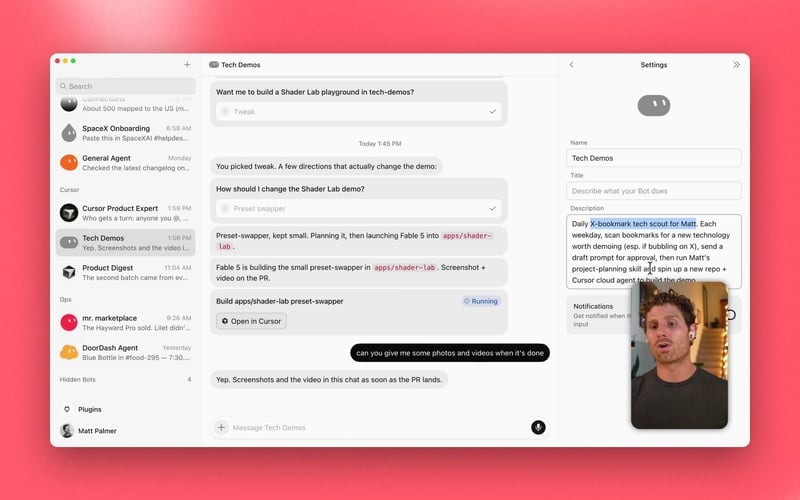
Official settings example, not a custom MCP form or a connected VoiceCheap account.
Dot must be available on your account. Its availability depends on your plan, region and rollout. Use the same ChatGPT account for the plugin and your Dot.
In ChatGPT on the web, open Plugins → + → Add custom MCP server. Dot uses the supported plugins already installed on this account.
Name the server VoiceCheap, paste the MCP URL above and choose OAuth. Create the plugin and review its tools.
Complete VoiceCheap sign-in, choose Read Only permissions and install or enable the resulting plugin. Return to your Dot; there is no separate Dot-specific MCP URL to configure.
Open a conversation with your Dot on the same account and send the message below. Ask it to use the VoiceCheap plugin.Official setup guide
Cursor
Use an up-to-date Cursor installation with custom MCP tools enabled.
Open Cursor’s Customize page to manage MCP servers. Older versions place this in Settings → Tools & MCP.
Add the configuration below to .cursor/mcp.json in your project, or ~/.cursor/mcp.json for all projects. Merge the voicecheap entry into an existing mcpServers object instead of replacing other servers.
Sign in to VoiceCheap in the browser, choose Read Only permissions and approve the connection. Return to Codex and start or reload your session.
Use /mcp in Codex to check the server, then send the read-only test below.Official setup guide
Claude Code
Install Claude Code locally and keep a browser available for sign-in. Organization policies may restrict custom servers.
Open a terminal on the computer where Claude Code runs.
Run the command below. User scope makes VoiceCheap available across your projects.
claude mcp add --scope user --transport http voicecheap 'https://api.voicecheap.ai/mcp'
Start Claude Code with claude, enter /mcp, select voicecheap and choose Authenticate. In the browser, sign in to VoiceCheap and approve Read Only permissions.
Check that /mcp shows VoiceCheap as connected, then send the test below.Official setup guide
GitHub Copilot
Use GitHub Copilot in an up-to-date VS Code installation. This guide is for VS Code, not Microsoft 365 Copilot. Your administrator may restrict MCP servers.
In VS Code, open the Command Palette with ⌘⇧P on macOS or Ctrl+Shift+P on Windows/Linux. Choose MCP: Add Server, then HTTP.
Paste the MCP URL above and name the server voicecheap. Choose a user-level configuration, such as Copilot Global if offered, to make it available across projects.
Start the server, review the trust prompt and complete VoiceCheap sign-in in the browser. Choose Read Only permissions to start.
Use MCP: List Servers → voicecheap → Start or Restart. Open an Agent chat, enable VoiceCheap in Configure Tools and send the test below.Official setup guide
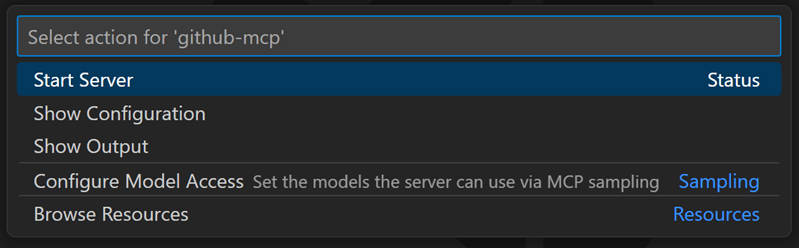
Official MCP actions menu example. The server shown is an example, not VoiceCheap.
Install Gemini CLI locally and keep a browser available for the OAuth callback. A headless or SSH-only session may need additional setup.
Open a terminal on the computer where Gemini CLI runs.
Copy and run the command below to add the VoiceCheap HTTP server to your user configuration.
gemini mcp add --scope user --transport http voicecheap 'https://api.voicecheap.ai/mcp'
Start Gemini CLI with gemini, then enter /mcp auth voicecheap. Complete the browser sign-in and approve Read Only permissions in VoiceCheap.
Run /mcp list to see the server and tools; use /mcp reload if needed. Then send the test below.Official setup guide
OpenClaw
Use an up-to-date personal OpenClaw gateway that you control. Shared bots need operator-managed access for each user.
Open your OpenClaw Control UI, then Settings → MCP → Add server.
Name the server voicecheap, choose Streamable HTTP and paste the MCP URL above. Set auth to oauth in the server configuration editor.
Choose Sign in and approve Read Only permissions in VoiceCheap. Save or publish the configuration and restart the Gateway only if OpenClaw requests it.
Send a new message after saving so the agent loads its new tools. Then use the read-only test below.Official setup guide
Start with the read-only prompt. Media workflows need the relevant write permissions and can use your normal VoiceCheap credits or allowances. The prompts ask for confirmation before starting. An assistant must disclose when it cannot obtain a reliable estimate; a prompt does not add missing permissions.
Read my credits and projects
Read the prompt
Use VoiceCheap to show my available credits and list my latest projects with their names, identifiers, processing status and target languages when available. Use only read actions. Do not create, edit, delete, publish or generate anything. If VoiceCheap tools are unavailable, tell me what must be connected or authorized instead of inventing a result.
Prepare a text-to-speech creation
Read the prompt
Prepare a French voice-over in VoiceCheap. Ask me for the text and let me choose from the available voices. Check my character credits, summarize the text, voice and settings, and explain the credit use if a reliable estimate is available. Tell me if the estimate is unknown. Ask for my confirmation before generating speech. If write access is missing, tell me which permission to grant by reconnecting; do not try to change it yourself. After approval, generate once, keep the request identifier, follow its status and return the audio result. Reuse the same request identifier for retries.
Prepare a transcription
Read the prompt
Prepare a VoiceCheap transcription. Ask me for the audio or video file, or an accessible HTTPS media URL, and the source language. Explain the relevant credits or allowances and disclose any unknown estimate. Ask for confirmation before importing the media or starting transcription. If access is read-only, explain the required permissions and let me reconnect. Once approved, transcribe once, keep its request and history identifiers, follow the result and return the transcript as text with its available TXT export. Do not translate it or generate speech.
Prepare SRT subtitles
Read the prompt
Prepare SRT subtitles for my video in VoiceCheap. Ask me for the file or accessible HTTPS media URL and the source language. Summarize the requested output and applicable credits or allowances; do not invent a cost estimate. Ask for confirmation before importing the media or creating subtitles. If write permissions are missing, explain how I can reconnect with the required access. Once approved, create one subtitle job, keep its identifiers, follow the saved result and return the SRT export. Do not translate or burn subtitles into the video unless I separately approve that action.
I cannot find the add-server option Check your assistant’s plan, version and workspace permissions. An administrator may need to allow custom MCP servers. Your assistant’s official guide shows the latest controls.
VoiceCheap is connected but no tools appear Finish the browser sign-in, enable VoiceCheap in the conversation and start a new message or reload the MCP connection. Then try the read-only test again.
I see an access or usage error Check your VoiceCheap plan, credits and granted permissions in Integrations. To change an OAuth connection’s permissions, revoke it and reconnect with the access you need.
For a client that supports fixed request headers, create a scoped API key and send it with each MCP request. This example uses a common MCP configuration format; check the format supported by your client.
Use MCP tool discovery for names, required fields, and descriptions. Tool names match the REST action catalog. Results include identifiers and output data; long-running jobs must be checked with their status or history actions. Media credits and ownership checks apply to each workflow.
Create or rotate webhook signing secrets through the REST action API. This action and its saved results are not available through MCP, so the full signing secret is not returned to your assistant.
The separate public documentation MCP URL is https://voicecheap.ai/docs/mcp. It searches published documentation and requires no private account access. The contextual MCP menu on documentation pages connects that documentation search server. To run account actions, use the account MCP URL above.